WatchMaker Watch Faces
androidslidePersonalization
3.79.35K Reviews
- Version
- 10.2.8
- Installs
- 5.00M
- Age Rating
- Everyone
Screenshots
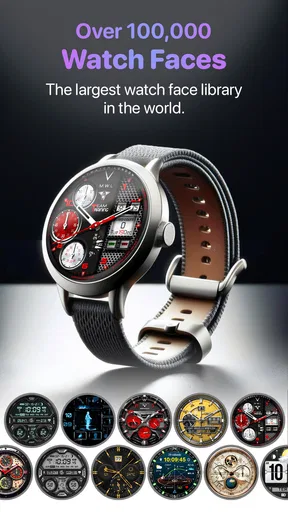
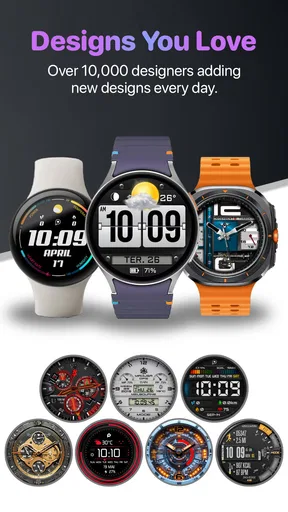
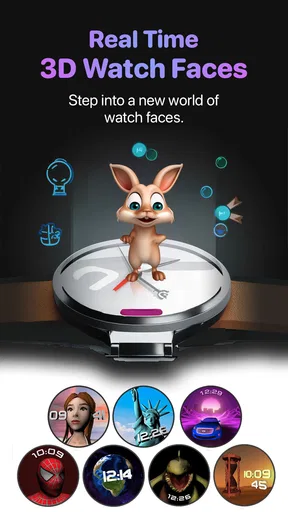
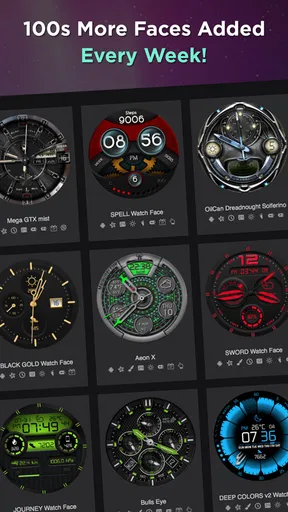
Our Review of WatchMaker Watch Faces
 Analysis by Appyee
I judge a watch-face app by whether it makes the watch feel more like mine without turning a quick change into a small project. WatchMaker Watch Faces is strongest when you want both a broad choice of designs and room to adjust what you find. It sits in the personalization category, and its appeal is less about picking one pretty screen than having a toolkit for changing the look to suit your day. I would recommend it to curious tinkerers, though anyone who wants a single, effortless preset may find the depth unnecessary.
A library that invites browsing
The first useful distinction is between browsing and building. You can start with a design made by someone else, then explore the customization rather than beginning with a blank canvas. That makes the app approachable if you have ideas about colors or layout but no interest in learning a design program. I found that browsing can be its own activity: a quick search for a different mood may turn into a longer look through what other people have made.
That abundance has a trade-off. A large collection is valuable only when you are willing to spend a little time deciding what suits you. If you change your mind often, the range is a strength; if you want a handful of carefully curated choices, a simpler watch-face picker may feel more direct. I would treat the first session as exploration, not expect to land on a perfect face immediately.
Useful customization, not just decoration
It is easy to think of a watch face as an accessory, but the screen is something you glance at repeatedly. A design that looks striking in a preview may be less comfortable in daily use if the information you care about is hard to pick out. When adjusting a face, I would prioritize legibility and the details I actually check, then decide whether extra visual flourishes improve it or merely make it busier.
A practical workflow is to keep one restrained design for work or errands and experiment with a more expressive one when you have time. That lets you enjoy the creative side without feeling that every change has to be a permanent decision. Before spending time refining a design, try it on the watch and check it in the situations where you normally glance at the screen. A layout that looks balanced on a phone can feel different at wrist size.
The app is made by androidslide, and it is free to install. Its average rating is 3.7 from around 97,000 ratings, with about 9,200 written reviews and over 5 million installs. Those figures suggest a well-established app with a mixed reception rather than an automatic fit for everyone. I would read that as a reason to approach it with realistic expectations: the appeal is clear, but personal preference and device experience matter.
Where it fits among watch-face options
Compared with the built-in watch-face choices that come with a device, WatchMaker is aimed at people who want more room to browse and personalize. The built-in options are often the better choice if you value a quick setup and a consistent, low-effort experience. Here, the attraction is having a larger creative playground, including faces made by other users and tools for adapting a design to your taste.
It also differs from choosing a static wallpaper or a simple cosmetic theme: a watch face has to work as a glanceable display, not just as a picture. That is why I would judge a design by how clearly it presents the information I need, rather than by its appearance alone. If your priority is a clean, dependable default, the watch’s own options may serve you better. If you enjoy changing the look and fine-tuning details, this app has a more rewarding ceiling.
Who should take the time to try it
WatchMaker is a good fit for someone who enjoys personalizing devices, likes comparing designs, or wants to make a watch feel less generic. It can also suit a person who has a particular visual preference and is willing to adjust a face until it feels right. You do not need to be a professional designer to begin, but the most satisfying use comes from being willing to explore rather than expecting every choice to be settled for you.
For example, imagine changing from a busy weekday to a relaxed weekend. You might choose a simpler face for a day when you mainly want quick checks, then browse for a more playful look when appearance matters more. The important point is to test the design as you use the watch, not just admire it in the app. That small habit helps avoid spending time on a face that looks good in a preview but does not suit your routine.
I would skip it if you rarely change your watch’s appearance, prefer only manufacturer-provided options, or find detailed customization more distracting than enjoyable. In those cases, the default faces are likely to be easier to maintain. The same goes for anyone who wants every choice to be immediately obvious: a broad library can offer freedom, but it also asks you to make decisions.
Customization Galore
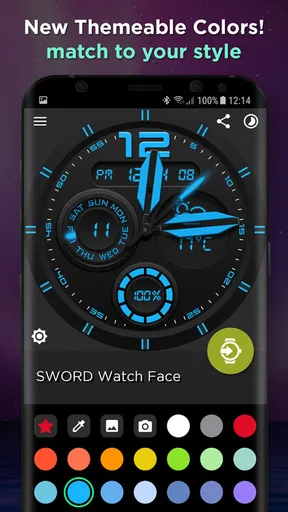
The first thing that hit me when I started using WatchMaker Watch Faces was the sheer amount of customization options. It’s like opening a treasure chest filled with endless possibilities. Whether you’re into minimalistic designs or something more intricate, this app has a face for you. I was blown away by how easy it was to switch things up based on my mood or outfit.
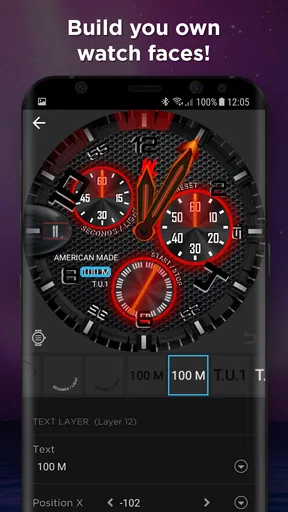
What really stood out is the ability to not just choose a watch face but to create my own. I spent an hour tinkering with colors, fonts, and widgets, and it was a blast. It’s like being a designer for a day, without needing any special skills. Plus, the drag-and-drop interface makes it super user-friendly.
Syncing and Compatibility
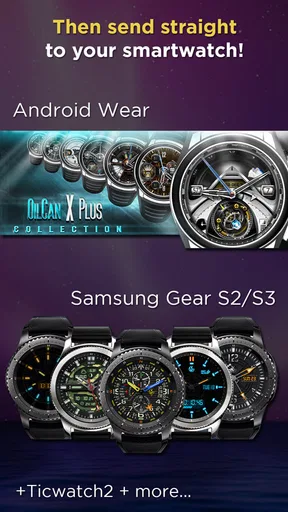
Now, if you're wondering about compatibility, you’re in luck. WatchMaker works seamlessly with most smartwatches out there. I tried it on both my Android and iOS devices, and the syncing process was smooth as butter. One tap, and voila, my custom watch face was alive and kicking on my wrist.
I did notice that for some older devices, it might take a bit longer to sync, but nothing that a little patience can’t handle. It’s a small price to pay for the level of customization you get.
Community and Sharing
One of the coolest features is the community aspect. With a vast library of designs created by other users, you’re never short on inspiration. It's like being part of an artsy club where everyone shares their latest creations. I found myself browsing through watch faces more times than I’d like to admit, just to see what others are cooking up.
And if you’re feeling generous, you can share your own designs too. It’s a neat way to showcase your creativity and maybe even gain a few fans.
Performance and Usability
In terms of performance, the app runs smoothly. I didn’t experience any crashes or weird glitches, which is always a win in my book. The user interface is intuitive, making it easy to navigate even if you’re not tech-savvy. The developers did a great job keeping things straightforward without sacrificing functionality.
One thing to keep in mind is that the free version comes with limited features, but the premium version unlocks a whole new level of customization. If you’re serious about personalizing your smartwatch, it might be worth the upgrade.
Final Thoughts
All in all, WatchMaker Watch Faces is a game-changer for anyone looking to inject some personality into their smartwatch. The creative freedom it offers is unparalleled, and the community vibe adds an extra layer of fun. Whether you’re a design enthusiast or just someone who enjoys a bit of flair, this app is definitely worth checking out.
So, next time you catch yourself yawning at your boring watch face, remember that a world of customization is just a download away. Give it a spin and see where your creativity takes you!
Cost, age suitability and version context
The app is free, so you can explore before deciding whether deeper customization is worth paying for. In-app purchases range from $0.99 to $49.99 per item, a wide spread that makes it sensible to check what an individual purchase unlocks before committing. I would start with the free experience, identify a specific feature or design you genuinely want, and only then consider buying it. A purchase is harder to justify if you are still unsure whether you will keep changing faces.
It is rated for Everyone, which describes its content suitability rather than guaranteeing that the interface will feel equally simple for every age or skill level. The current version is 9.0.6, and the app was released on July 25, 2014. For me, the practical takeaway is that this is an established personalization app, not a novelty built around one seasonal theme. Its store summary mentions live Christmas faces and gallery widgets, but I would approach those as part of a broader set of customization possibilities rather than the main reason to install it.
Making a face work in ordinary routines
A useful test is to make a face for a real day rather than designing for a screenshot. Imagine getting ready in the morning, checking the time between tasks, and glancing at the watch while carrying a bag or walking. Choose a layout that makes the most-used information easy to spot, then leave it in place long enough to notice whether it remains comfortable. If you keep needing to pause and inspect it, simplify the design instead of adding more decoration.
There is also a small but worthwhile way to avoid endless tweaking: decide what you want the face to do before opening the editor. Maybe the goal is a calmer appearance, a color that fits your clothes, or a layout that makes a particular detail easier to find. Changing one thing at a time helps you see whether the adjustment genuinely improves the result. It is a more satisfying approach than repeatedly rearranging elements without knowing what you are trying to fix.
That matters especially when choosing between a community design and making your own. A shared face is a faster starting point, while creating one yourself gives you more control but asks for more attention. I would browse first, save the styles that come close to what you like, and customize only the best candidate. That workflow makes the large library useful without turning every visit into a fresh hunt.
What to expect from setup and daily use
For a first-time user, the most reassuring part is that the app presents two clear paths: select a ready-made design or experiment with your own. The more demanding part is deciding how much of the available freedom you actually need. A quick change may be all you want today; the option to build and adjust remains there for another time. You do not have to turn every watch-face change into a full design session.
Compatibility deserves a practical check before you invest time in a detailed custom face. The original experience described smooth syncing across Android and iOS, while also noting that older devices may take longer. So I would first send a simple design to the watch and confirm that the process suits your setup. If that basic handoff is slow or awkward on your device, it is better to know before spending an evening polishing a more elaborate layout.
Likewise, the app is best understood as a personalization tool, not a promise that every design will be equally convenient on every watch. A face can be appealing in the library and still need adjustment once it is on your wrist. Treat the preview as a starting point, and judge the final result by how it feels during your own routine. That distinction is what separates a watch face you admire from one you actually keep using.
My recommendation
Overall, I see this as a worthwhile free starting point for people who enjoy making their devices feel individual. The strongest reason to try it is the combination of other users’ designs and the option to shape a face yourself; the main cost is time spent browsing, testing and deciding. Its 3.7 average rating reflects that it will not be everyone’s ideal experience, and I think that is fair: people who want a simple default may prefer the built-in choices, while curious customizers have more to explore here.
If you are interested, begin with a design close to your taste, make one or two deliberate adjustments, and test it in the situations where you actually check your watch. Keep it if it improves those quick glances; move on if the process feels like work. That is the fairest way to judge whether WatchMaker belongs on your phone: not by how many options it offers, but by whether the face you end up with makes your everyday watch feel more useful and more like yours.
Verdict
Strengths of WatchMaker Watch Faces
- Highly customizable watch faces.
- Supports a wide range of devices.
- User-friendly interface.
- Frequent updates and new designs.
- Offline functionality available.
Limitations of WatchMaker Watch Faces
- Some features require payment.
- Occasional syncing issues.
- Can drain battery quickly.
- Limited free watch face options.
- Ads in the free version.
Similar Picks in This Category
View All
Microsoft SwiftKey AI Keyboard
SwiftKey4.3

Wallpapers
Google LLC4.1

Zedge™ Wallpapers & Ringtones
Zedge4.7

Yandex Browser with Alice AI
Direct Cursus Computer Systems Trading LLC4.3

Ringtone Maker:create ringtone
Big Bang Inc.4.7

Fonts Keyboard
Fonts Keyboard3.9
Frequently Asked Questions
What features does WatchMaker Watch Faces offer?
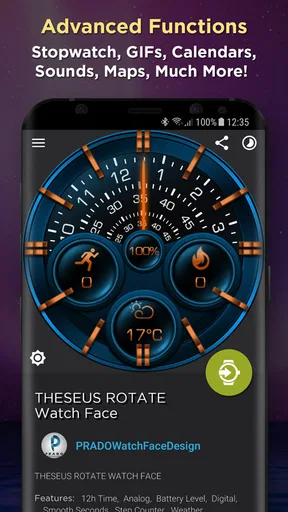
WatchMaker Watch Faces provides an extensive collection of customizable watch faces for smartwatches. Users can design their own watch faces, access a vast library of pre-made designs, and integrate various widgets like weather, health stats, and calendar events. The app supports multiple smartwatch platforms, making it versatile for different devices.
Is WatchMaker Watch Faces compatible with my smartwatch?
WatchMaker Watch Faces is compatible with several smartwatch platforms, including Wear OS, Tizen, and Apple Watch. However, it's important to check the app's compatibility with your specific device model, as some older or less common models may not be fully supported. Compatibility details are available on the app's download page.
How user-friendly is the interface of WatchMaker Watch Faces?
The interface of WatchMaker Watch Faces is designed to be intuitive for both beginners and experienced users. It offers drag-and-drop functionality, easy navigation through features, and simple tools for customizing and creating watch faces. Tutorials and guides are also available to assist users in getting the most out of the app.
Are there any in-app purchases or subscriptions in WatchMaker Watch Faces?
Yes, while WatchMaker Watch Faces offers a free version with basic features, there are in-app purchases available for more advanced functionalities and access to premium designs. Users can choose to subscribe for additional content and features, such as exclusive watch face designs and enhanced customization options.
What are the main pros and cons of using WatchMaker Watch Faces?
One of the main advantages of WatchMaker Watch Faces is its vast library of customizable designs and user-friendly interface. However, some users may find the premium subscription necessary to access the best content. Additionally, while it supports multiple platforms, the functionality may vary slightly depending on the smartwatch model.
